Skip to content
NovaTerminal
v0.x · Under active development

A terminal you can trust.

NovaTerminal is a modern, cross-platform terminal emulator focused on correctness, performance, and predictability — built on .NET 10, Avalonia, and a Rust-backed PTY. Same input, same output, every time.

  • Windows
  • Linux
  • macOS
  • .NET 10
  • Avalonia
  • Skia
  • Rust
~/projects/novaterminal zsh

$ git log --oneline --graph

* feat(mcp): observe toggle #298

* fix(vt): SGR italic conformance #295

* perf(skia): glyph cache warm #291

* docs: agent host direction #289

$

Why NovaTerminal

Most terminals optimize for speed or features. We optimize for behavior.

Terminal correctness is enforced by automated tests, not guesswork. The renderer is gated by performance contracts, the parser is measured against a conformance matrix, and replay parity prevents silent behavioral drift.

Deterministic rendering

Same input → same output. Always. Enables reliable testing, replay, and bug reports you can actually reproduce.

Replay-driven debugging

Record terminal sessions and replay them with pixel-level consistency. When something goes wrong, you can step through it frame by frame.

VT correctness first

Built with conformance and standards in mind — not best-effort rendering. A CI lane measures every supported VT/ANSI feature.

GPU-accelerated rendering

Smooth, modern pipeline using Skia with a snapshot-only rendering boundary and conservative perf ceilings enforced by CI.

Extensible architecture

Acyclic, focused class libraries with enforced invariants. Designed for future workflows: cloud, automation, AI-assisted tooling.

Built for AI agents

An opt-in MCP server lets Claude Code and other agents observe your live terminal sessions — and, behind a separate opt-in, drive them.

In the wild

Built for the way you actually work.

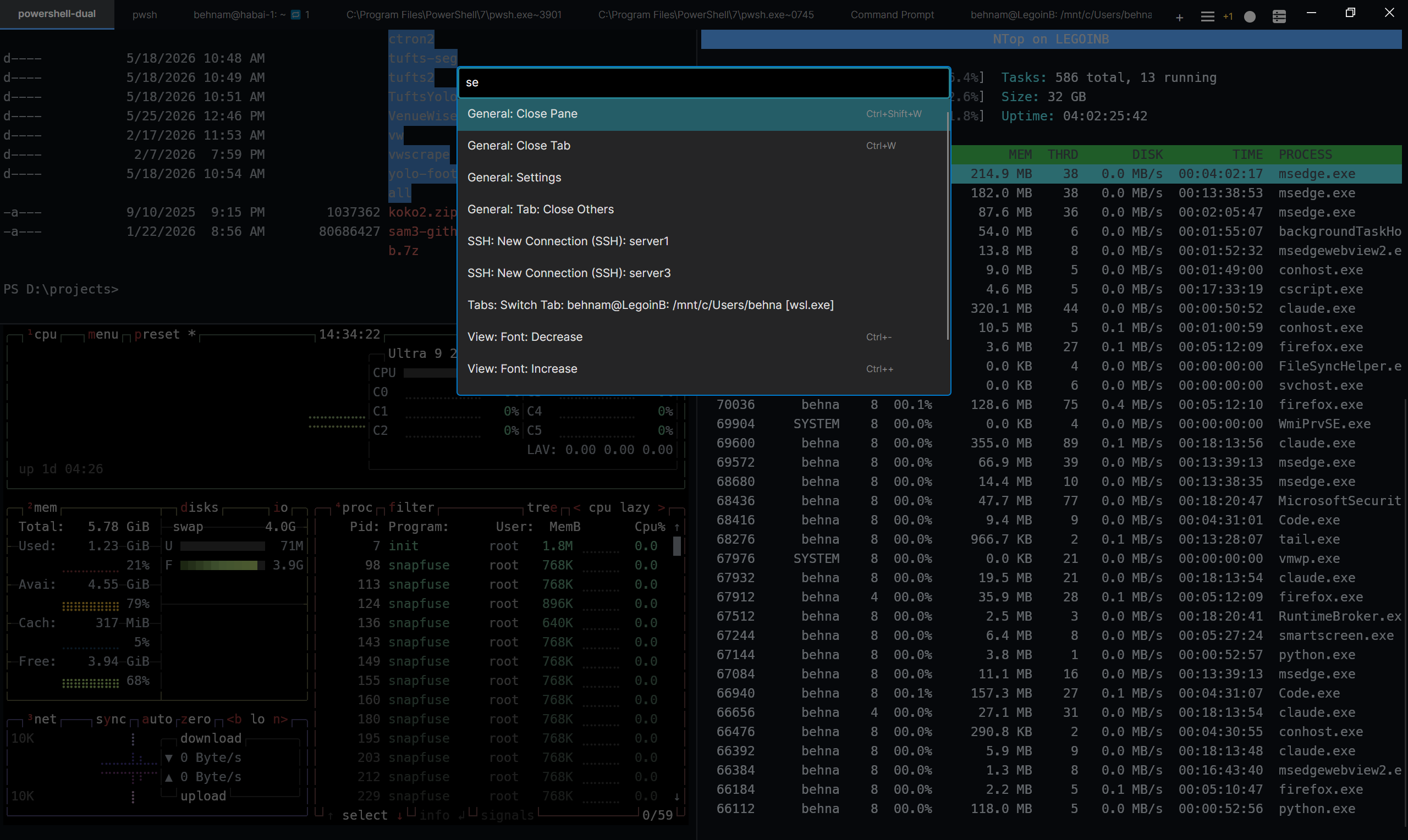
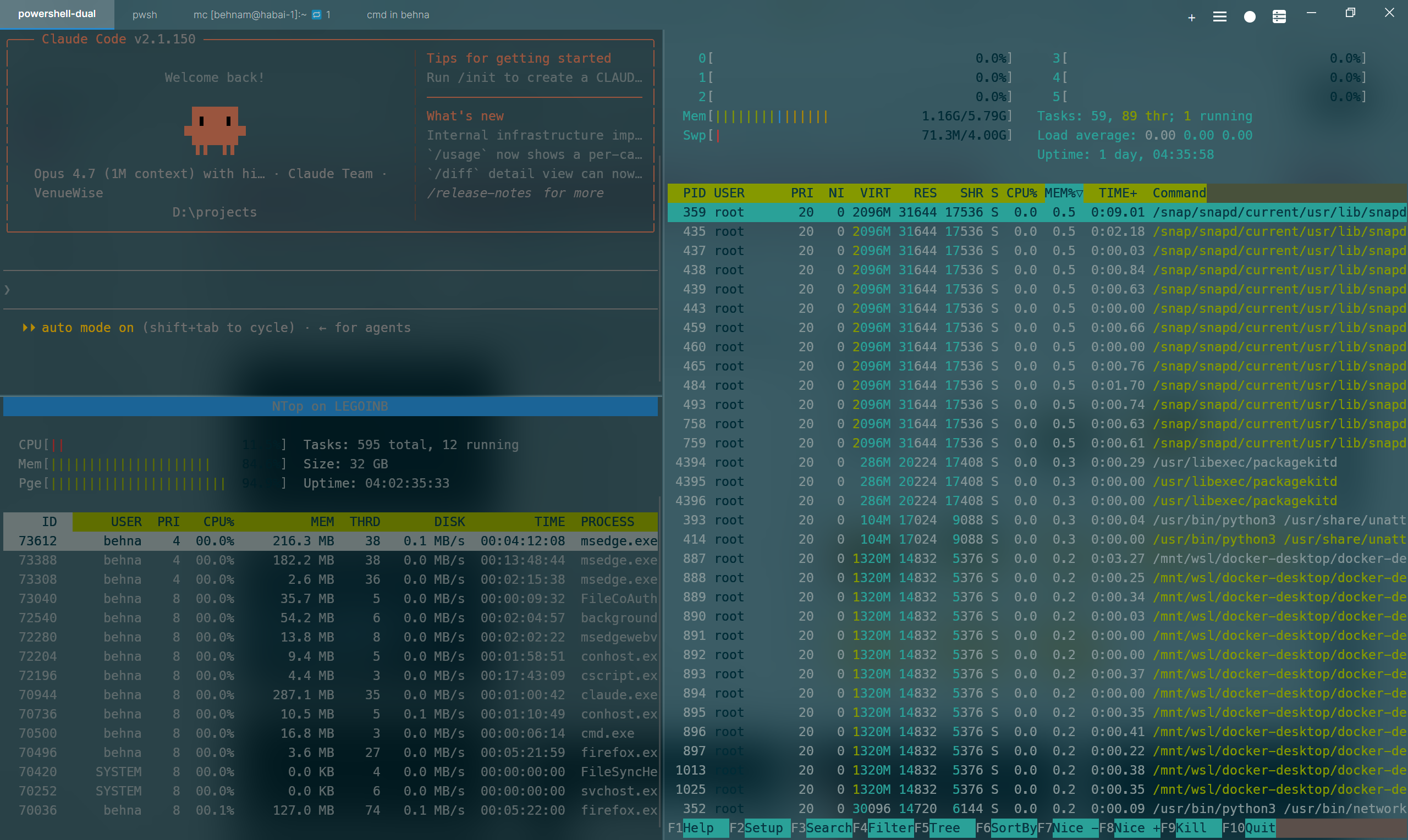
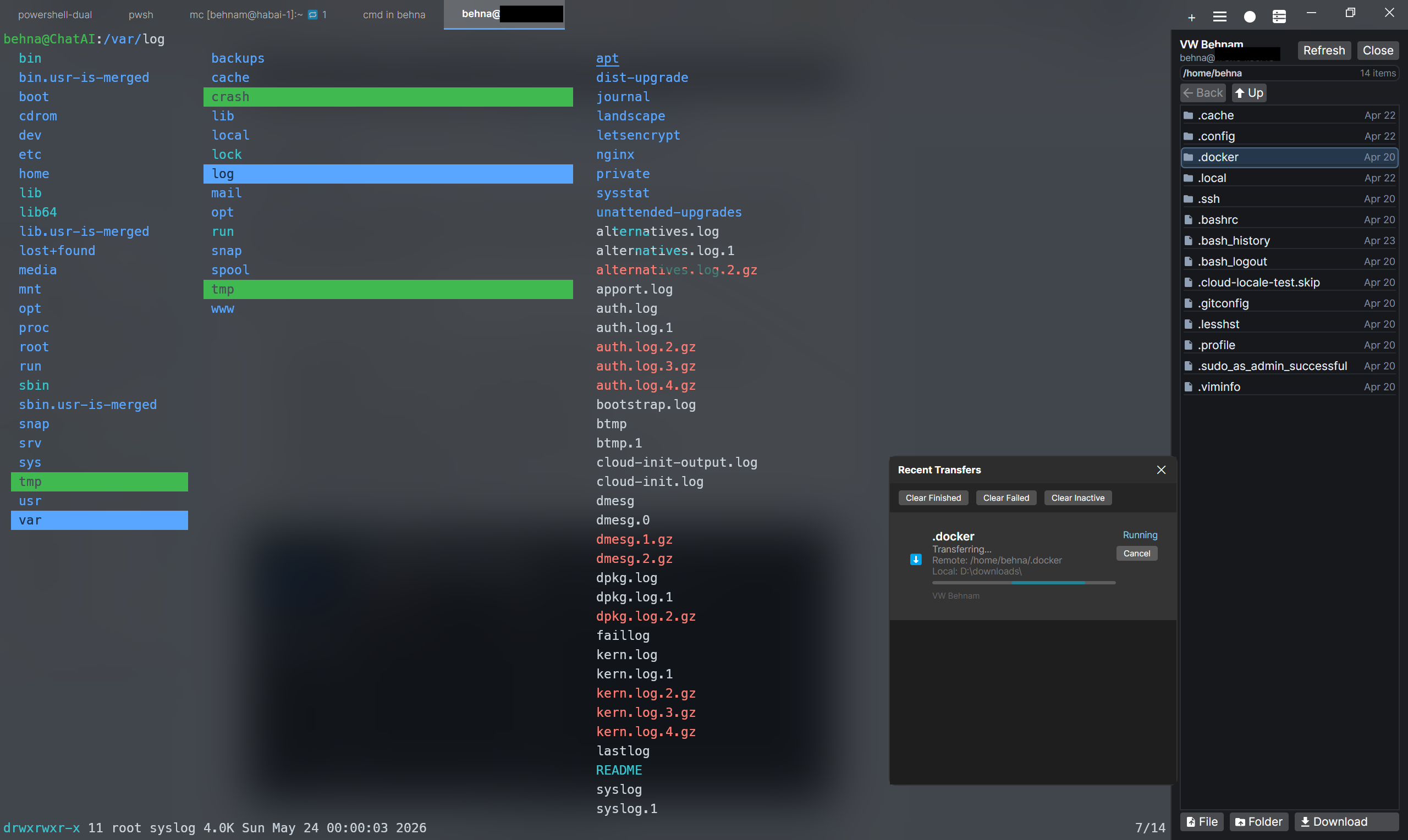
From quick REPL sessions to fullscreen TUIs, NovaTerminal keeps the same predictable behavior across operating systems.

NovaTerminal showing a multi-pane session with a code editor and a build pane
NovaTerminal with the command palette open and a profile switcher
A fullscreen TUI application running inside NovaTerminal
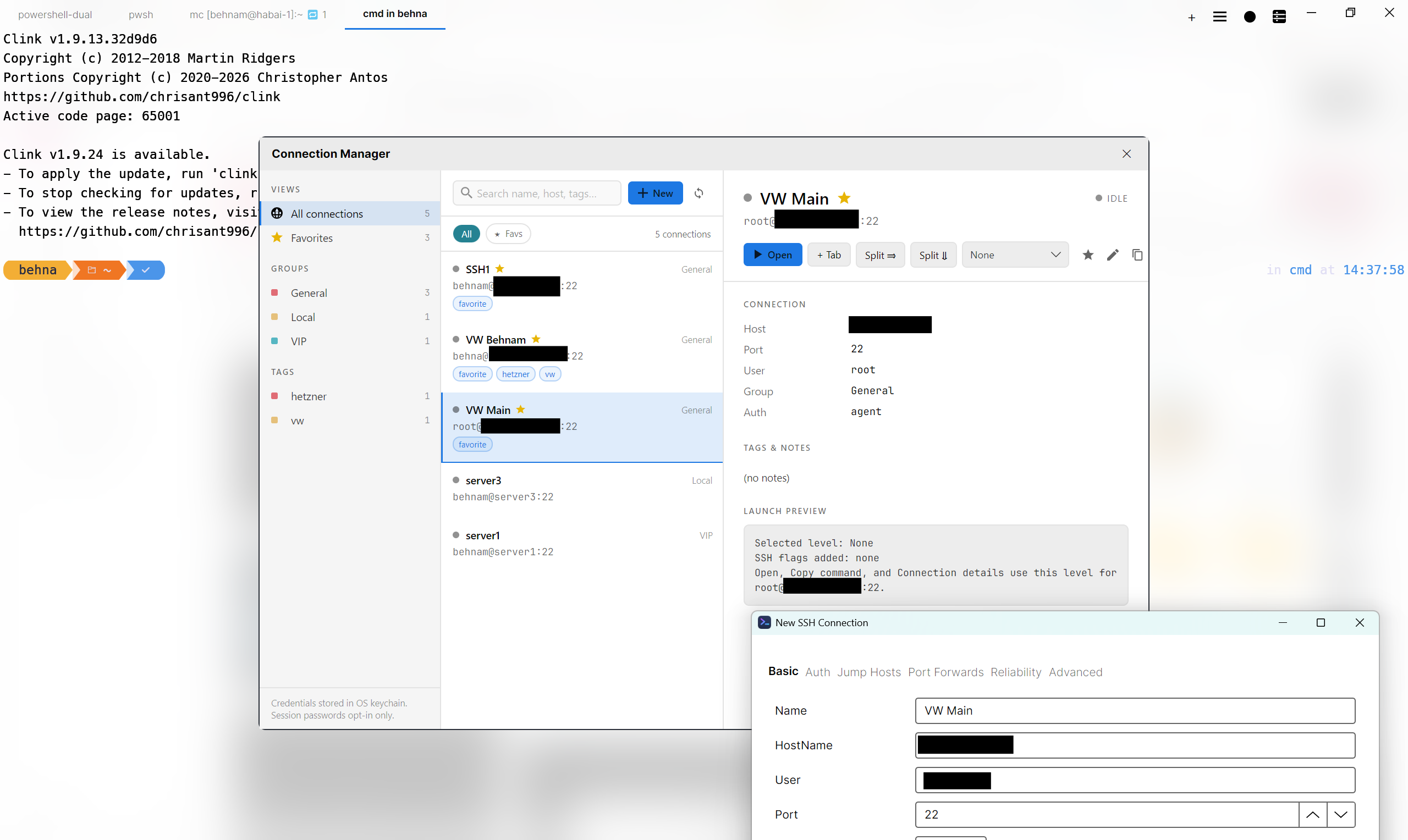
NovaTerminal with the search overlay and tabs panel visible
NovaTerminal showing inline graphics rendered in the terminal grid
Features

Everything you expect, and a few things you don't.

NovaTerminal is feature-complete for everyday work, and ships with capabilities most terminals don't have — replay-driven debugging, conformance-tested VT, and an opt-in agent host.

Correctness

Terminal core

A frame-agnostic VT/ANSI parser and cell-based buffer, measured against a conformance matrix and replay parity tests.

  • VT / ANSI parsing measured against a conformance matrix
  • Alternate screen support (vim, less, htop)
  • Scrollback buffer with deterministic replay
  • Stable resize & reflow
  • Cell-based buffer model
  • Thread-safe, crash-resistant PTY backend
Productivity

User interface

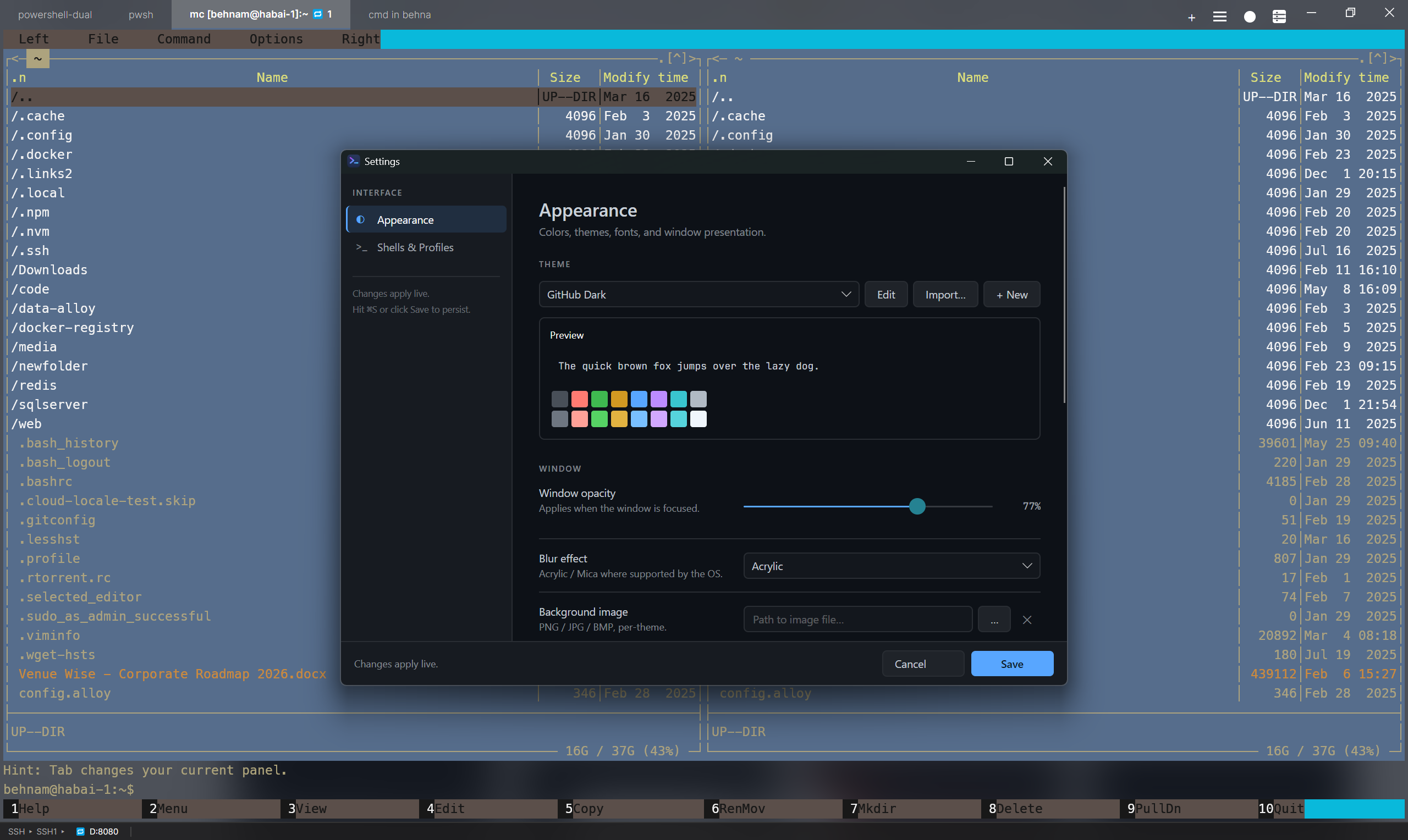
A modern UI for people who live in the terminal: tabs, splits, command palette, search, profiles, and live settings — no restart required.

  • Tabs, split panes, and workspace templates
  • Vertical tab sidebar with per-tab status and output preview
  • Markdown panel for agent output — fenced code, tables, and diffs
  • Command palette (Ctrl+Shift+P) and tab list
  • Search overlay with regex support
  • Profiles for local and SSH sessions
  • Themes, fonts, and font sizing
  • Bundled JetBrains Mono NL with a Nerd Font symbol fallback, so icon glyphs render on a fresh install
  • About window with an inline update check
  • Live settings — no restart required
Assistance

Command Assist

Suggestions anchored to what the shell actually reports, not to a guess about where your prompt ends — built on OSC 133 shell-integration marks, with a one-line installer for remote hosts.

  • Reads the live command line from the grid, not a shadow copy
  • History search, snippets, and a tldr-derived command catalogue
  • Fix mode proposes a correction from a failed command’s own output
  • Passive suggestion bubble with rebindable shortcuts
  • One-line shell-integration installer for remote hosts over SSH
  • Works in sessions with no marks at all
Your config

Backup & restore

Move your setup between machines, or roll it back after something goes wrong — settings, themes, connections, workspaces, policy and snippets in one portable file.

  • Export and import a single portable .novabackup file
  • Six independently selectable categories
  • Merge into an existing setup, or replace it outright
  • Automatic background snapshots, deduplicated by content hash
  • A snapshot is taken before every import and restore
  • Settings page, command palette, and CLI verbs for scripted setups
Protocols

Graphics & inline images

First-class inline graphics so charts, plots, and previews land where you expect them — alongside prompts, not in a separate viewer.

  • Sixel graphics (verified with libsixel, lsix, gnuplot)
  • iTerm2 inline images (verified with imgcat, test_iterm2.py)
  • Kitty graphics protocol (native on Linux/macOS, tunneled on Windows)
  • Proper ConPTY synchronization — images render inline with prompts
Remote

Native SSH

Cross-platform SSH built for VT correctness and the realities of fullscreen TUIs.

  • SSH profiles with platform-vault credential storage
  • Keepalive and dynamic port forwarding
  • Coalesced resize handling for vim, htop, tmux
  • Disconnect state surfaced in the terminal pane
  • Runtime password memory (opt-in, session-scoped)

Cross-platform parity, by design

NovaTerminal guarantees identical terminal behavior across Windows, Linux, and macOS. Platform-specific differences are limited to the OS surface.

  • VT interpretation identical
  • Buffer state identical
  • Wrapping & reflow identical
  • Search semantics identical
  • Window chrome (per-OS) OS-specific
  • Blur & transparency (per-OS) OS-specific
  • Global hotkeys (per-OS) OS-specific
  • Credential storage backends (per-OS) OS-specific
How it works

A small, acyclic core. A wide, replaceable surface.

NovaTerminal is organized into focused class libraries with an acyclic dependency graph. The architecture invariants are enforced by NovaTerminal.Architecture.Tests at IL, csproj, and namespace level — not aspirational.

Module graph

  1. App (UI)

    Avalonia window, themes, settings, orchestration

  2. Platform

    Input, paths, process, SSH — shared runtime primitives

  3. VT

    Frame-agnostic parser + cell-based buffer (zero references)

  4. Rendering

    SkiaSharp text shaping, GPU glyph cache, snapshot boundary

  5. Pty

    OS integration + PTY sessions (raw bytes only, no VT)

  6. Replay

    Deterministic session recording and playback

Enforced invariants: VT is a leaf with zero project references; Pty must not depend on VT; Replay and Rendering reference exactly VT; no production assembly references test libraries.

Data flow

  1. Bytes become cells

    The PTY layer delivers raw bytes from the shell. The VT parser turns them into typed cells in a frame-agnostic buffer. The renderer snapshots that buffer at frame boundaries — never more often.

  2. Snapshots stay pixel-stable

    Rendering is gated by a performance contract: same buffer state, same pixels, every time. Replay parity is a first-class test, not a best-effort log.

  3. Conformance is enforced

    A dedicated CI lane regenerates the VT/ANSI conformance report on every change and fails on regressions. Ghostty gap tracking keeps the matrix honest.

Agent access (MCP)

A terminal your AI agent can sit beside — not behind your back.

A local, stdio Model Context Protocol server (NovaTerminal.McpServer) exposes NovaTerminal to Claude Code, Claude Desktop, VS Code, and other MCP clients. The default surface is read-only; everything that touches a live session is opt-in, layered, and journaled.

Repo / dev-companion

On by default

Read-only, offline tools. Project docs, VT/ANSI conformance data, and JSON validators for themes, SSH profiles, and settings.

  • Project documentation queries
  • VT/ANSI conformance lookups
  • Config validators (themes, SSH, settings)

Observe

Opt-in

Opt-in. List sessions, read screens, capture scrollback, wait for events, export replay. Screenshots have their own sub-toggle and are journaled.

  • list_sessions
  • read_screen
  • read_scrollback
  • get_session_status
  • wait_for_events
  • export_replay
  • capture_screen

Act

Opt-in

A separate opt-in on top of Observe. Send input, spawn, and close sessions. SSH targets require a per-profile allowlist. Every call — allowed or denied — is journaled in-app.

  • send_input
  • spawn_session
  • close_session
  • Per-profile SSH allowlist
  • In-app activity journal

Register the server with Claude Code

Build the server first, then point your MCP client at the compiled DLL — never dotnet run, which corrupts the stdio stream.

# Build
scripts/build.ps1 build -c Release src/NovaTerminal.McpServer

# Register with Claude Code
claude mcp add novaterminal -- \
  dotnet "<path-to-repo>/src/NovaTerminal.McpServer/bin/Release/net10.0/NovaTerminal.McpServer.dll"

For Claude Desktop or VS Code, add the same command/args to the client's MCP config.

Safety model

  • Both opt-in toggles off ⇒ no live endpoint at all.
  • Acting on SSH requires a per-profile allowlist.
  • Every acting call — allowed or denied — is journaled in-app.
  • Replay exports never include input — typed keys are not retained.
Read the acting threat model
Install

Pick a build, get to work.

Windows and macOS have one-click installers that keep themselves up to date — a new version downloads in the background and applies on your next restart. Linux ships a self-updating AppImage, a system .deb, and a portable tarball, for x64 and arm64 alike. Every release runs the gating unit-test lane on all three OSes before any bundle is published. Replace <tag> with the version you downloaded.

macOS builds are signed and notarized (since v0.7.0), so Gatekeeper opens them normally. Windows installers are not code-signed yet, so SmartScreen will warn on first run — choose More info → Run anyway; see issue #91 .

Windows

x64

Native AOT, self-contained. Download from the latest release .

Installer — recommended

NovaTerminal-Setup-win-x64-<tag>.exe

Per-user install — no admin prompt. Adds Start Menu and Desktop shortcuts, and updates itself in the background.

Portable — no updater

NovaTerminal-win-x64-<tag>.zip

winget install benyblack.NovaTerminal

macOS

arm64

Native AOT, self-contained. Download from the latest release .

Installer — recommended

NovaTerminal-Setup-osx-arm64-<tag>.pkg

Installs a proper NovaTerminal.app bundle, and updates itself in the background. Signed and notarized since v0.7.0, so Gatekeeper opens it with no warnings.

Portable — no updater

NovaTerminal-osx-arm64-<tag>.zip

unzip NovaTerminal-osx-arm64-<tag>.zip
open NovaTerminal.app

Linux

x64 · arm64

Native AOT, self-contained. Download from the latest release .

AppImage — recommended

NovaTerminal-linux-<x64|arm64>-<tag>.AppImage

Self-updating, like the Windows and macOS installers. Needs glibc 2.35+ (Ubuntu 22.04+, Debian 12+, Fedora 36+). Ubuntu 22.04+/Debian 12 ship no FUSE 2 — install it (sudo apt install fuse) or launch with --appimage-extract-and-run.

chmod +x NovaTerminal-linux-<x64|arm64>-<tag>.AppImage
./NovaTerminal-linux-<x64|arm64>-<tag>.AppImage

Or the .deb — system integration

novaterminal_<version>-1_<amd64|arm64>.deb

sudo apt install ./<exact .deb filename from the release page>

The .deb adds a desktop entry, icons, the nova command on your PATH, and a man page. It does not update itself: there is no APT repository yet, so apt upgrade will not see new releases — download and reinstall each one. Its filename carries both the version and the architecture and changes every release — copy the exact one for your machine (amd64 or arm64) from the release page. A portable .tar.gz is there too.

Build from source

net10.0 · Rust 2024

Prerequisites

.NET 10 SDK and a stable Rust toolchain. On macOS, install Xcode Command Line Tools. On Windows, MSVC build tools.

dotnet --version   # expect 10.x
rustc --version   # expect stable
cargo --version

Build

dotnet restore triggers a cargo build for the native PTY and SSH libraries automatically.

dotnet restore
dotnet build -c Release

Test

Run the same filter as the blocking CI unit lane (fast, deterministic).

dotnet test -c Release --no-build \
  --filter "Category!=Replay&Category!=RenderMetrics&Category!=PtySmoke&Category!=Stress&Category!=GoldenSharedPng"
For developers

Correctness culture, enforced.

NovaTerminal has a strong correctness culture — terminal core invariants are enforced and automated tests gate changes. If you care about that, you'll feel at home here.

Agent host program

Strategic direction

A session-facing MCP surface so AI agents can observe, query status of, and — with explicit, separate permission — act inside live terminal sessions. Threat model and direction are public.

VT conformance program

CI gated

Every supported VT/ANSI feature is tracked in a matrix; a dedicated CI lane regenerates the report and fails on regressions. Ghostty gap tracking keeps the matrix honest.

Native SSH

Experimental · opt-in

Cross-platform SSH client (experimental, opt-in) with VT correctness, resize coalescing, dynamic forwarding, keepalive, and runtime password memory.

Rendering performance contract

Ongoing guardrail

Snapshot-only rendering boundary, replay parity, seam safety under fractional DPI, and conservative perf ceilings enforced by CI.

Test lanes

NovaTerminal splits tests into focused, deterministic lanes. The blocking CI lane is fast and runs on every PR; the long-running lanes (replay parity, render metrics, golden PNG) run on schedule.

  • VT.Tests Deterministic
  • Rendering.Tests Deterministic
  • Platform.Tests Deterministic
  • McpServer.Tests Deterministic
  • App.Tests Avalonia Headless
  • Architecture.Tests NetArchTest (IL + ns)
  • Benchmarks SharpFuzz / libFuzzer
  • ExternalSuites vttest / native SSH

Want to contribute?

See CONTRIBUTING.md for the workflow and docs/reviews for periodic deep code reviews with the current known-issues backlog.

Open the repo